
Fort Worth Computer Repair & Business IT Support
Computer Pro Network provides onsite Windows computer repair, virus removal, remote support, networking, printer and Wi-Fi help, and small-business IT services for homes and offices across Fort Worth and DFW.
Homes & Small Businesses (<50 employees): Flat-Fee Pricing • Medium & Enterprise (50+): $100/hr Onsite · $80/hr Remote
Same-day service may be available depending on the schedule, customer location, technician availability, and type of issue.

Priority 1 security issue · Unauthorized access
Someone could have access to your computer. You may not know it.
Your computer can look normal while an unauthorized person accesses files, steals passwords, or uses your accounts. You may never see a mouse move or an unfamiliar window.
Suspected unauthorized remote access needs immediate attention. For a business, one compromised computer can put customer information, employee records, financial accounts, and connected systems at risk.
Tell us you suspect unauthorized access. We will confirm availability, scope, and pricing before work begins.
An ordinary-looking screen can hide unauthorized access.
Find the access. Help stop the risk.
- Assess: Review signs of suspicious remote access, tools, and accounts.
- Contain: Help revoke unauthorized access and secure affected accounts.
- Strengthen: Address weaknesses and recommend protections against repeat access.
Money & account theft
Stolen credentials, fraudulent payments, and redirected invoices can cause financial loss.
Data & customer trust
Customer records, employee information, and confidential business files may be exposed.
Downtime & recovery
Ransomware, locked files, and access to other systems can interrupt operations and increase recovery costs.
Businesses: your response matters.
A breach can trigger notification duties, investigations, penalties, or lawsuits, depending on the facts and applicable law. Being hacked does not automatically make a business legally liable. Safeguards and the response to a compromise matter. Consult qualified legal counsel if customer, employee, or other protected information may be affected.
Windows helper · Results on this webpage
Check your computer. See your result here.
CPN Remote Access Check looks for known remote-access indicators and available Microsoft Defender findings. The Windows helper shows matched program names, their source, and their status. If you choose the webpage option, your browser opens a results popup with the status, check count, and program list. Installed-program records are distinguished from running processes and other indicators.
- Download and open the Windows helper.
- Approve read-only checks and select “Show my results and program names in a popup on CPN’s webpage.”
- See your result: after checking, the helper opens this page in your default browser with a results popup.
Verified download
- Digitally signed by Computer Pro Network LLC. Our certificate is issued by Microsoft after verifying our business identity.
- Independent VirusTotal scan: no security vendors flagged this file.
- SHA-256 checksum to confirm your copy is unchanged.
Check it yourself: right-click the file, choose Properties, then Digital Signatures. When you open it, Windows shows Verified publisher: Computer Pro Network LLC.
What your result means
- Priority 1: An active high-severity Defender finding needs immediate review.
- Review needed: Remote-access capability or another active security finding was detected.
- Incomplete: Some checks were unavailable; further assessment is needed.
- No known indicators: Nothing recognized in completed checks. This is not a guarantee of safety.
Your Windows helper result
Ready for your Windows helper result
Run the current Windows helper and select “Show my results and program names in a popup on CPN’s webpage.” The helper opens this page after checking.
This webpage does not inspect your computer by itself. No result is stored here when you refresh or close the page.
Private by design: with your approval, selected program names, source/status labels, and the check summary pass into your browser. Raw evidence and the optional technician report stay in the helper. The page clears the handoff before analytics, does not upload or store results, and skips its Google Analytics and Clarity on helper result views. Names clear when you clear the result or it expires.
Before you run it: this release is digitally signed, but Windows or your organization may still block it. If blocked, request a technician assessment. Do not disable security controls. Administrator approval is optional; limited permissions or unavailable Defender checks can produce incomplete results. On a business computer, check with your IT team.
Legitimate remote-support tools may be detected. The helper checks known indicators and existing Defender findings, performs no full malware scan, and may miss hidden, renamed, unknown, or other-user threats. It cannot prove prior access. The webpage displays the helper’s reported summary; it does not independently verify the computer or authenticate that summary. Results expire after five minutes.
Download verification (SHA-256)
Windows helper:
7bf49a30786239f64fd5174e45cd4874adc62543da3f89bcb7c9c5132d9198f3Source ZIP:
b5d7ab6903bf09e1fb40faece6e7018317559c68c59a525a637f8b00bf19e6bcCompare the hash with the downloaded file. A match confirms the file matches this release; it is not a security certification.
Security & business guidance: CISA remote-access guidance · FTC breach response · Texas breach reporting. Reviewed October 13, 2026.
Residential & Business Computer Services
Practical Windows computer help for homes and small businesses across Fort Worth and the Dallas–Fort Worth Metroplex.
Residential Computer Repair
Windows PC troubleshooting, slow computers, setup, and onsite repair at your home.
Residential repair detailsVirus & Malware Removal
Cleanup for pop-ups, ransomware warnings, unwanted software, and unsafe browser issues.
Virus removal detailsData Recovery
Help recovering files when possible, plus clear next steps when advanced recovery is needed.
Data recovery detailsBusiness IT Support
Workstation support, office network setup, and technology services for local small businesses.
Business IT detailsWi-Fi & Network Help
Connectivity troubleshooting for Wi-Fi and shared devices, plus network installation & cabling for offices.
Wi-Fi and network helpPrinter Support
Setup and troubleshooting for common home and small-office printer problems.
Printer and PC problem helpRemote Computer Support
Secure remote help when an in-person visit is not required.
Remote support detailsMobile & On-Site Computer Repair
We come to you for hands-on Windows repair and technology troubleshooting at your home or business.
Mobile computer repair detailsApplication & Website Development
Custom applications and websites for businesses and organizations. Explore live work, then contact us for project pricing.
View apps and websites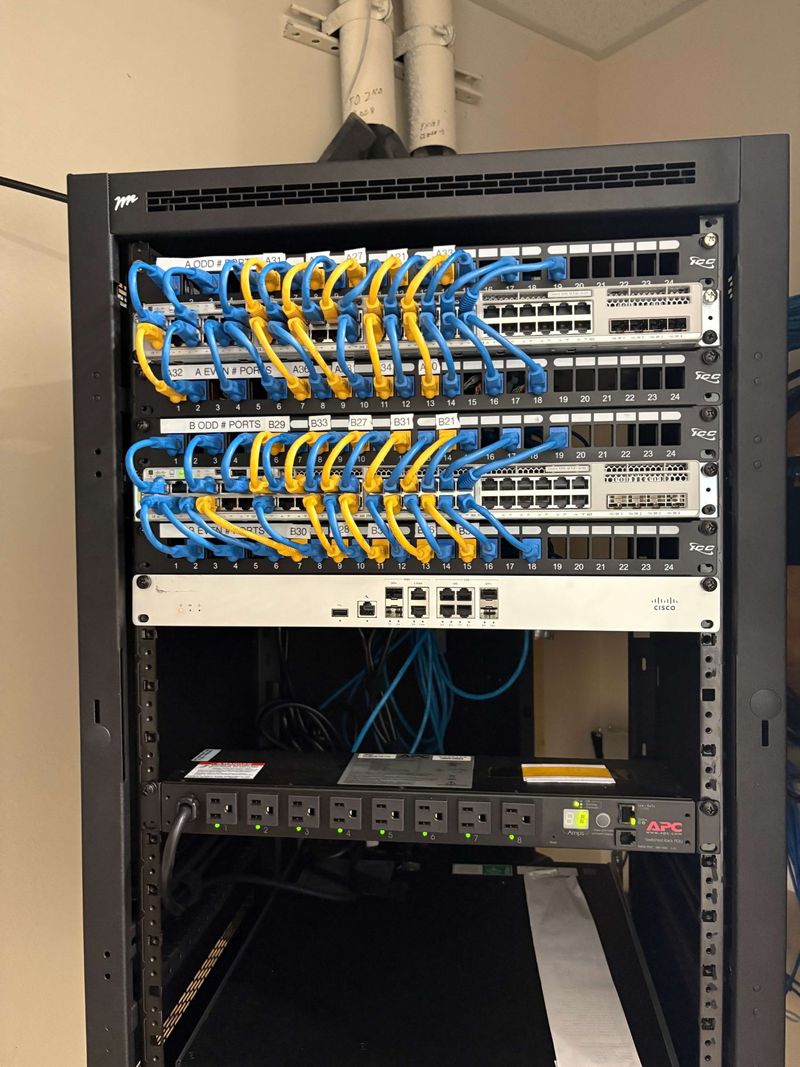
Featured business service
Business Network Installation & Structured Cabling
Building a new office, expanding your network, or cleaning up an existing network closet? Computer Pro Network provides professional network installation for small and mid-sized businesses throughout Fort Worth and the Dallas–Fort Worth Metroplex.
We install network racks, switches, firewalls, wireless access points and structured Ethernet cabling. We can also organize and clean up existing network cabling, label network connections, and provide professional network documentation with photos and equipment information when the project is complete.
- Network Cabling
- Rack Installation
- Network Equipment
- Cable Cleanup
- Wi-Fi Access Points
- Network Documentation
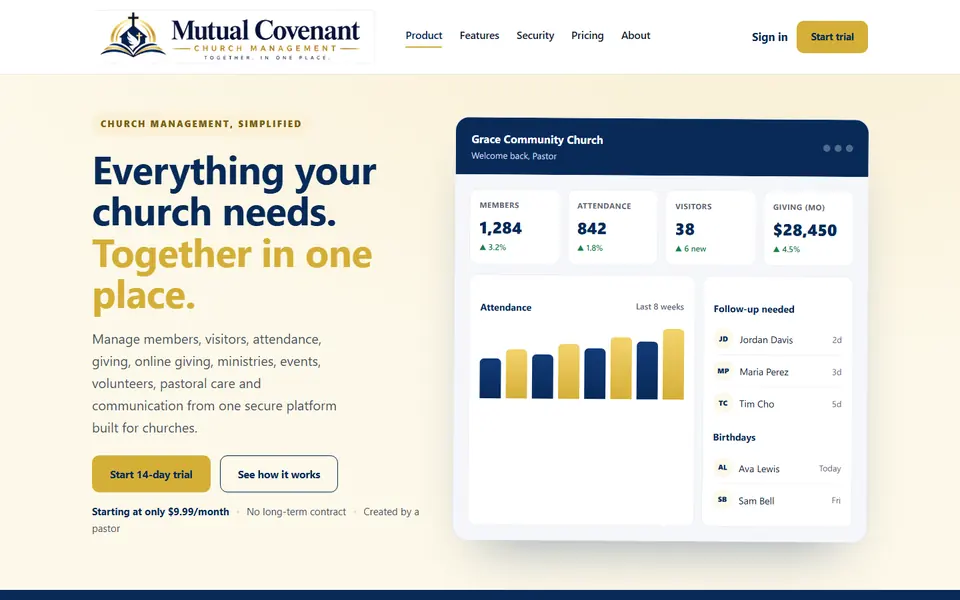
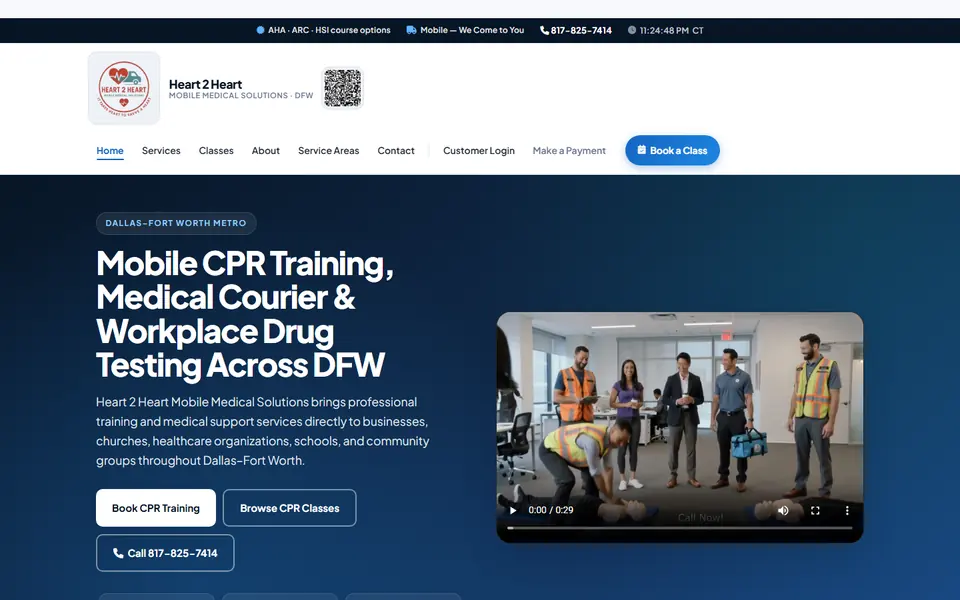
Application & website development
Have an App or Website Idea? We Can Build It.
Computer Pro Network offers application development and website development for businesses and organizations. Explore our live applications and website portfolio, then contact us to discuss your project and pricing.


Residential and Business Support
Choose the path that fits your situation. Residential customers and small businesses with fewer than 50 employees use the same flat-fee pricing. For medium and enterprise businesses with 50 or more employees, standard IT support is $100 per hour onsite, per technician, and $80 per hour remote.
Homes & Small Businesses — Flat Fees (under 50 employees)
Our standard residential computer repair services use flat-fee pricing, so you know the service cost before work begins. Parts and specialized services may carry additional charges.
View Residential PricingMedium & Enterprise IT — Hourly Pricing (50+ employees)
For medium and enterprise businesses with 50 or more employees, onsite support is $100 per hour, per technician, and remote support is $80 per hour. We confirm the applicable rate and billing terms before work begins. Specialized work and after-hours service carry different rates.
View Business IT PricingSee Computer Pro Network in Action
See how we explain issues clearly before you commit. Then schedule computer repair or call the number in the header. More tips and videos · Customer reviews.
Read Local Customer Reviews
See what customers have shared about their experiences with Computer Pro Network.
Read customer reviewsCommercially Insured
Computer Pro Network maintains commercial general liability insurance through The Hartford. Current insurance documentation is available to commercial clients upon request.
Ask About AvailabilityAreas Served
Fort Worth and surrounding Dallas–Fort Worth communities when scheduling allows. Same-day availability depends on schedule, location, technician availability, and the type of issue.
Helpful Guides
Practical articles and service pages to help you understand common computer issues and next steps.
Same-Day Computer Repair Options
When same-day service may be available and what affects scheduling across Fort Worth and DFW.
Read the same-day guideVirus & Malware Removal
Signs of infection and how Computer Pro Network helps clean up Windows PCs.
Read virus removal detailsComputer Pro Network Facts
Verified company facts on pricing, Windows specialization, service area, and policies.
View company factsManaged IT for Small Businesses
Ongoing managed IT under a written monthly agreement for the systems the plan covers.
Explore managed ITFrequently Asked Questions
Clear answers about pricing, onsite service, same-day availability, and what we support.
Can someone access my computer without visible signs?
Yes. Unauthorized remote access can occur without visible mouse movement or an unfamiliar window. A normal-looking screen does not prove that your computer is secure. Remote-support software can also be legitimate, so its presence alone does not establish a compromise. Suspected unauthorized access should be treated as a Priority 1 issue and assessed promptly.
Can this website scan my computer for unauthorized remote access?
The webpage itself cannot inspect your computer. Download CPN Remote Access Check 1.4.0 for 64-bit Windows 10/11 and consent to read-only checks. If you select the webpage popup option, the helper opens your browser with the result, check count, and selected program names with source/status labels. Raw evidence and the technical report are excluded. The browser clears the handoff before analytics, and the homepage does not upload or store the result. Its Google Analytics and Clarity are skipped on helper result views. You can close, reopen, or clear the popup; results expire after five minutes. Long lists may be partially shown, with the full list in the helper. Legitimate tools may be detected. The signed helper performs no full malware scan and cannot guarantee freedom from compromise. If blocked, contact CPN without disabling security controls.
How much does computer repair cost?
Most standard onsite visits for homes and small businesses with fewer than 50 employees include a $20 trip fee plus $80 per device. Parts, data recovery, advanced diagnostics, and larger projects may be quoted separately.
Do you charge hourly?
Residential customers and small businesses with fewer than 50 employees use the same flat-fee pricing. Only medium and enterprise businesses with 50 or more employees are billed hourly: $100 per hour, per technician, for standard onsite service and $80 per hour for standard remote support. Minimum charges apply. Specialized work and after-hours service have separate rates.
Is same-day service guaranteed?
Same-day service may be available depending on the schedule, customer location, technician availability, and type of issue.
Do you provide onsite and remote support?
Yes. We offer onsite visits across Fort Worth and DFW and remote support when an in-person visit is not required.
What areas do you serve?
We serve Fort Worth and surrounding Dallas–Fort Worth communities. Coverage for a specific visit depends on scheduling and location.
Do you specialize in Windows computers?
Yes. Computer Pro Network specializes in Windows-based computers for homes and small businesses.
Do you repair Macs?
Computer Pro Network specializes in Windows-based computers and does not provide Mac, MacBook, iMac, or macOS repair services.
Do you support small businesses?
Yes. We provide business IT support for small and mid-sized companies in Fort Worth and throughout the DFW Metroplex. Homes and small businesses with fewer than 50 employees pay the same flat residential rates: a $20 trip fee plus $80 per device onsite, or $80 per remote session. For medium and enterprise businesses with 50 or more employees, standard onsite support is $100 per hour, per technician, and standard remote support is $80 per hour.
Can you help with Wi-Fi and printers?
Yes. We help with common Wi-Fi, networking, and printer issues for homes and small businesses as part of our Windows computer support services.
How do I schedule service?
Request service online or call 817-658-0707. We will confirm availability based on the schedule, your location, technician availability, and the type of issue.
Fort Worth Black Chamber of Commerce Member
Computer Pro Network is a member of the Fort Worth Black Chamber of Commerce.
Need Help With Your Computer or Business Technology?
Request service online or call to check availability. Same-day service may be available depending on the schedule, customer location, technician availability, and type of issue.